
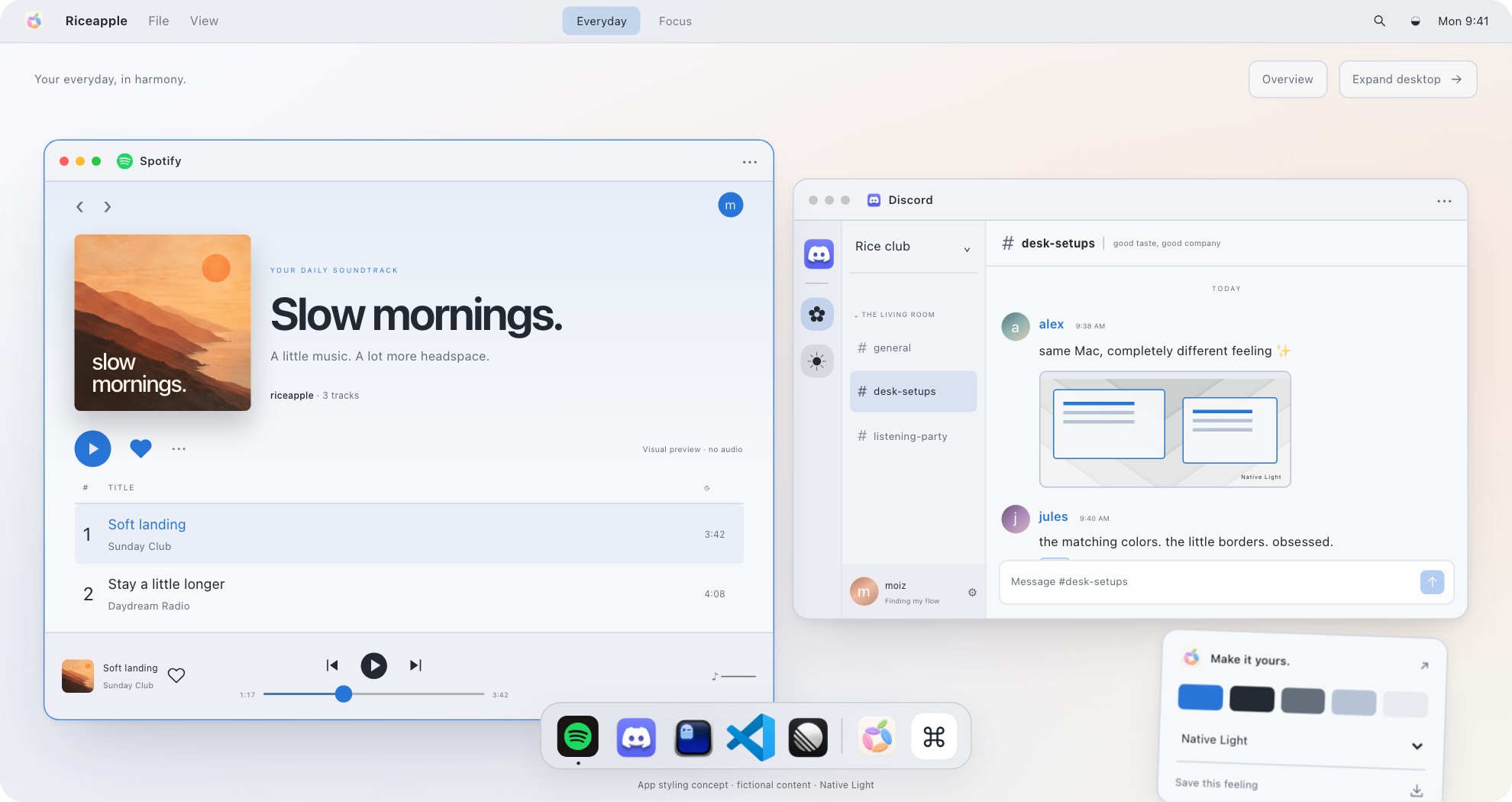
From the Riceapple playground: real preview components, sample content. This is visual inspiration, not a screenshot of a modified Spotify installation or the exact recipe below.
View full-size preview (opens in a new tab) · Explore the app previews#1e1e2e#cdd6f4#cba6f7An example palette: charcoal surfaces, soft white text and a lavender accent. These swatches are a design suggestion, not a tested Spotify theme.
Start with Spotify’s own controls
Before modifying the player, make its existing surfaces feel intentional. Spotify documents custom cover images for playlists you created and a compact library layout. Those two changes can make a busy music collection feel more coordinated.
Try a consistent cover treatment: the same background color, a simple symbol and short text for each listening mood. The steps below come from Spotify’s cover and library guide.
Finish the composition with a comfortable window size and a wallpaper that sits quietly behind it. If that gets you the look you wanted, stop there. The optional Spicetify route below follows its published macOS instructions; we have not tested these commands against your Spotify version.
Open a playlist you created
In desktop Spotify or the web player, open Your Library and choose your playlist.
Choose a cover
Click the playlist image, choose your photo and save it. Use an image you own or have permission to use.
Choose how your library looks
For a quieter sidebar, open your profile picture, then Settings. Under Library, turn on Use compact library layout. This hides cover images in Your Library; turn it off if the art helps you find music.
What changes with Spicetify?
Spicetify is a community command-line tool that customizes the official desktop client. Its themes can change colors, fonts and visual styling. It is not an official Spotify appearance setting.
Spotify’s User Guidelines prohibit modifying its service except where applicable law allows it, and say guideline violations can lead to account suspension or termination. Read that policy before choosing this route. We cannot promise Spicetify is permitted for your circumstances or that an account will be unaffected.
There is maintenance, too. A Spotify update can break compatibility with Spicetify or an individual theme. For a machine where music needs to work predictably, the unmodified player is the simpler choice. If you accept those tradeoffs, keep the first change small.
Install Spicetify on Mac
This recipe assumes Spotify is installed at /Applications/Spotify.app and that you already use Homebrew. Open Spotify and check ordinary playback before changing it. Spicetify documents the following macOS installation and initial configuration. See Spicetify’s current getting-started page.
The first command installs the tool; running spicetify creates its configuration. The path points to the usual Mac app location. The final command backs up Spotify and applies Spicetify. If your app is elsewhere, resolve its real location using the project documentation first.
The project also offers a shell installer. Review that script and its source before running it. If you do not use Homebrew, choose an installation method from the project’s getting-started page instead of treating a new package manager as an invisible prerequisite.
brew install spicetify-cli
spicetify
spicetify config spotify_path "/Applications/Spotify.app/Contents/Resources"
spicetify backup apply
Add one Spotify theme
Spicetify’s theme documentation lists community projects such as Catppuccin, Comfy and Bloom. Check a theme’s current instructions and maintenance status before choosing it. An attractive old screenshot does not establish current compatibility.
For manual installation, download and inspect the theme folder. It should contain color.ini and user.css. Place that folder in ~/.config/spicetify/Themes/, then apply it using the exact folder name below. Replace YOUR_THEME_FOLDER; it is a placeholder, not a theme to install.
Follow any additional requirements documented by the specific theme. Marketplace is another installation route, but it has a separate setup step: installing the CLI does not mean you already have Marketplace. Start with the theme alone, so any problem has fewer possible causes.
spicetify config current_theme YOUR_THEME_FOLDER
spicetify apply
Match the palette, then test the details
For the example palette above, use charcoal for large surfaces, soft white for readable text and lavender for a small accent. Repeat that accent in your wallpaper or another app. Coordinated does not mean every surface needs the same color.
Many Spicetify themes include several color schemes. Their color.ini section names identify the available choices. Replace both placeholders below with names that actually exist in your chosen theme.
Check a long playlist, a search result and the playback bar. Is secondary text readable? Is the selected track obvious? Do buttons still look clickable? A theme should make the player pleasant during listening, not just in a screenshot.
spicetify config current_theme YOUR_THEME_FOLDER color_scheme YOUR_SCHEME
spicetify apply
Keep a reset route
To clear the selected theme and return to Spotify’s default appearance, use the commands below. This resets the theme selection; it is not a full Spicetify uninstall.
After a Spotify update, Spicetify documents spicetify backup apply. If that fails, check for a Spicetify update and any theme-specific issues. The documented recovery sequence spicetify restore backup apply restores, rebuilds the backup and reapplies customization. It also is not an uninstall.
Sometimes the current Spotify version needs a compatibility fix that is not available yet. Follow the project’s current recovery guidance rather than stacking more extensions or repeating commands without understanding the error. For complete removal, use the project’s Uninstallation guide.
spicetify config current_theme ""
spicetify apply
A few questions
Does this work on iPhone?
This guide covers the Mac desktop client. Do not assume desktop theme files change Spotify on your phone or in a web browser.
Why did my Spotify theme stop working?
Spotify updates can change what Spicetify or an individual theme expects. Check the current Spicetify instructions and the theme’s reported issues before assuming you installed it incorrectly.
Does Riceapple apply the Spotify theme for me?
No. Riceapple’s website offers a Spotify styling preview. This guide describes a separate community tool and does not establish a working Riceapple-to-Spotify integration.
Sources and scope
Researched from the sources below on September 12, 2026. The palette is our suggested starting point. Instructions are documentation-based; we haven’t claimed a hands-on test of your installed app version. Menus and availability can change.
Bring the rest of your Mac along
Use our Mac ricing guide to think through your desktop, then browse light, dark and warm setup ideas. The Riceapple playground lets you compare coordinated looks with sample windows. It does not apply a theme to Spotify.